Keep track of what you eat, and what comes of it.
An app to track your poops and the foods that, quite literally, created them. Look for trends. Make connections. Try new things. Improve your poop life.

How it works
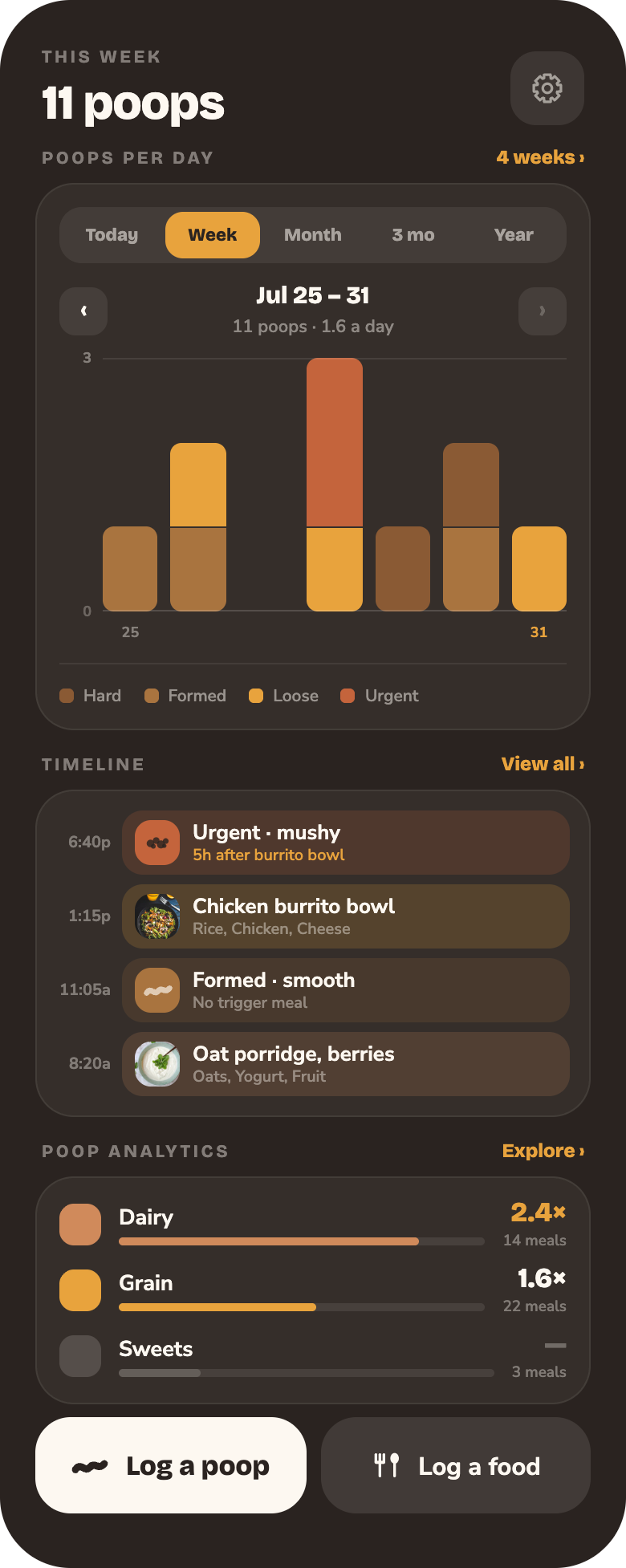
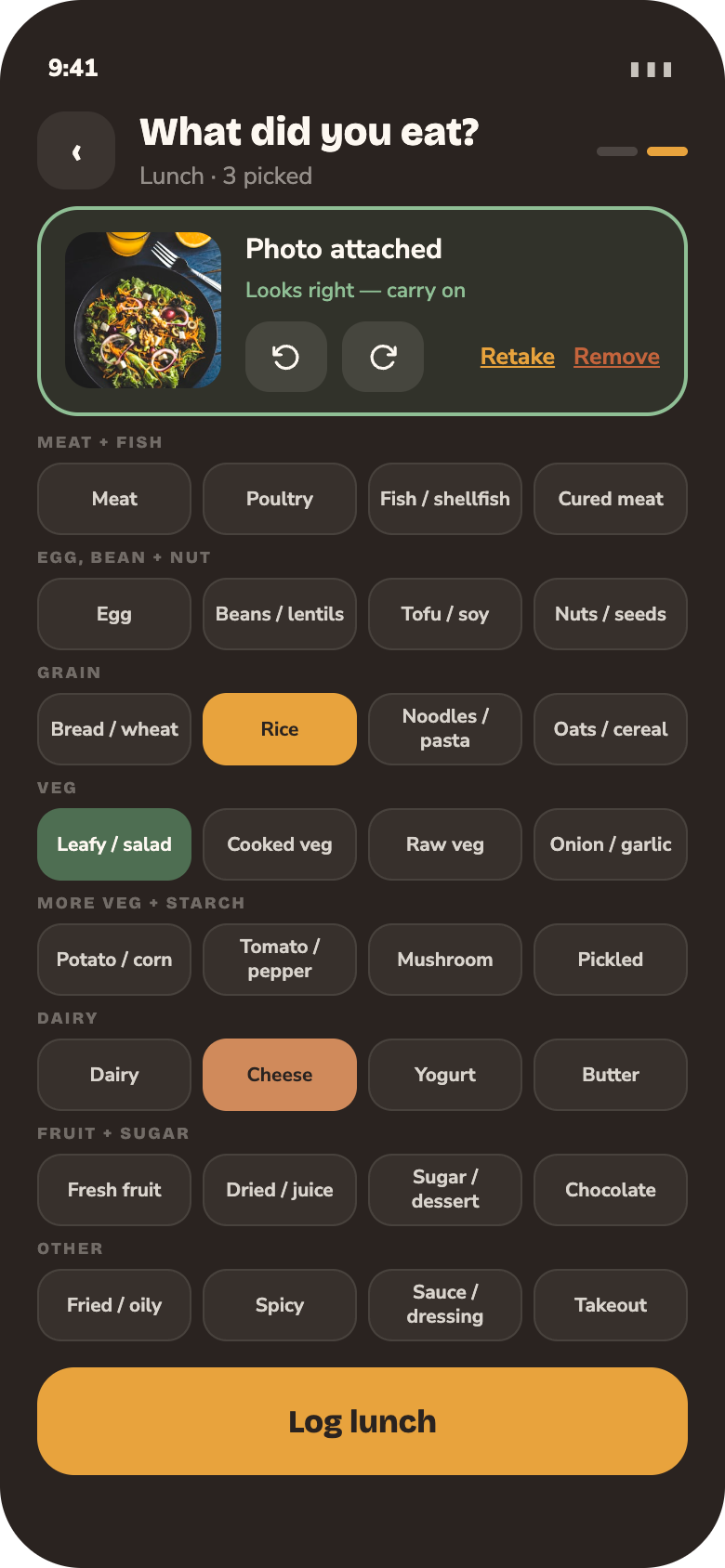
Two buttons on the home screen: log a poop, or log a food. Fill in the details — a type off the Bristol scale, or the foods that were in the meal — and it’s logged.
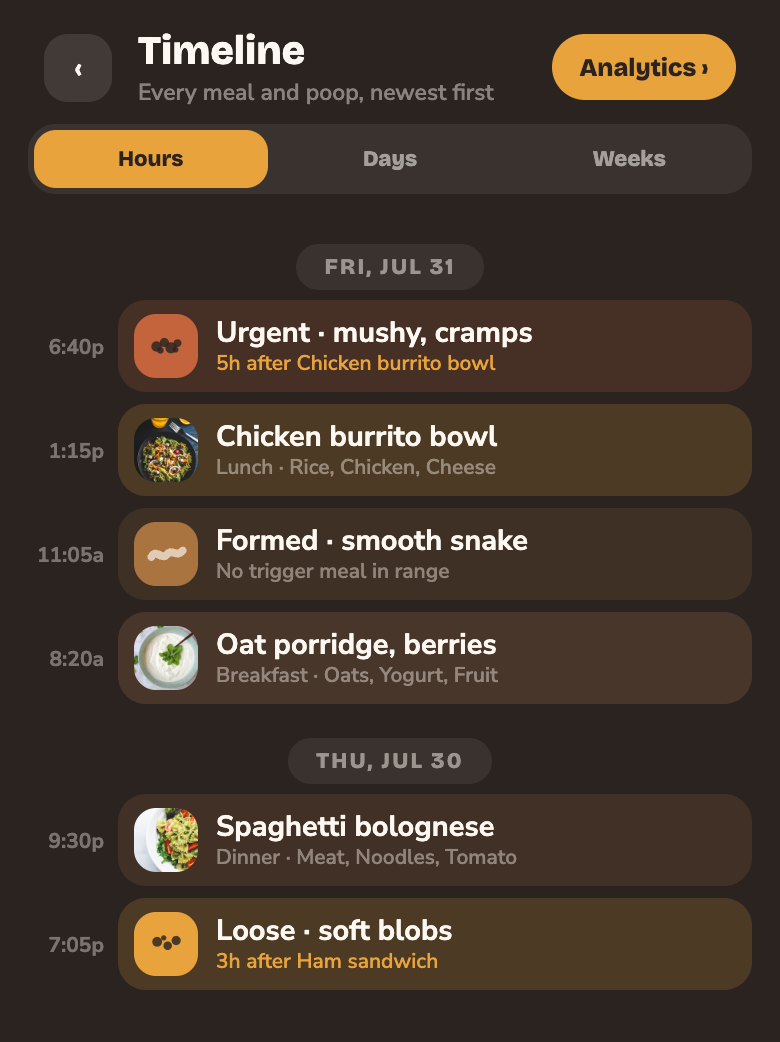
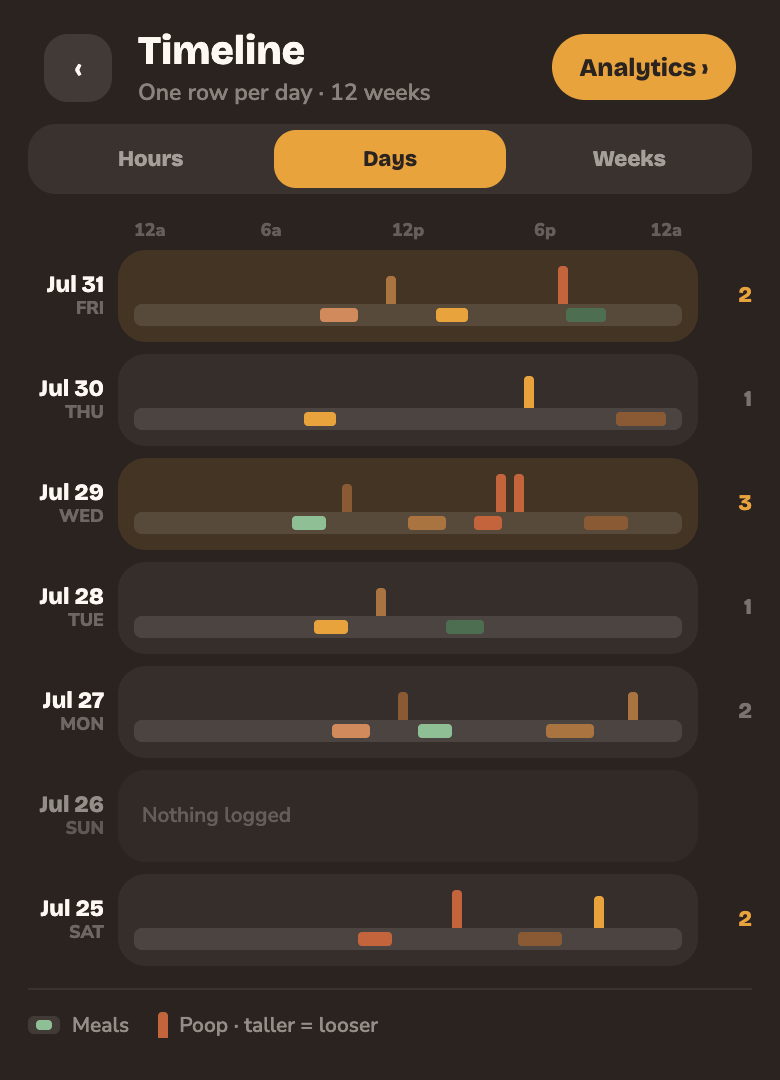
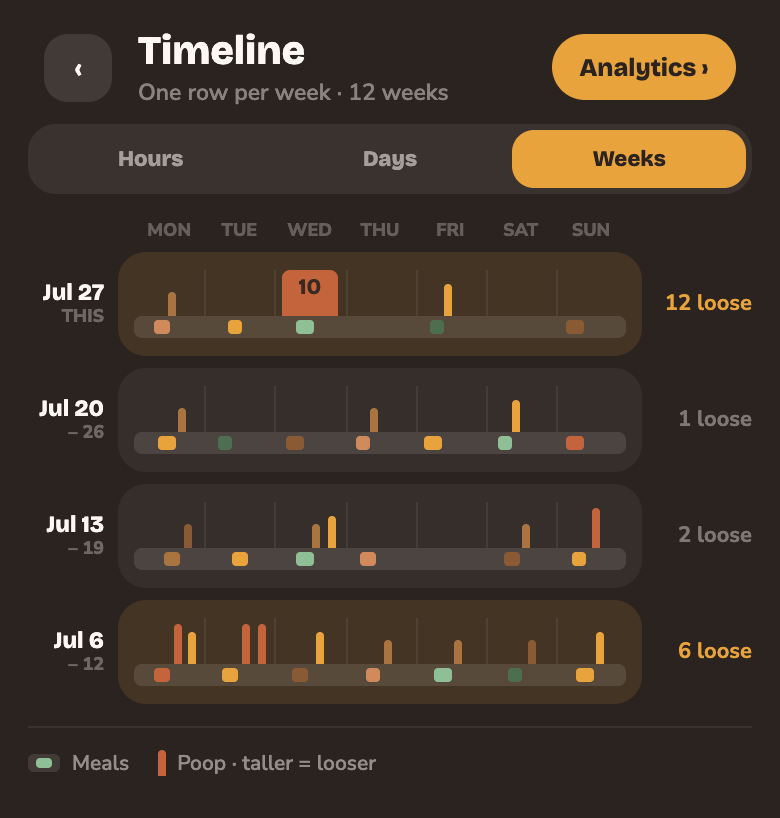
Meals and poops pile up as you go, and the app keeps them in order. Look at a single day, a week, or twelve weeks at once.
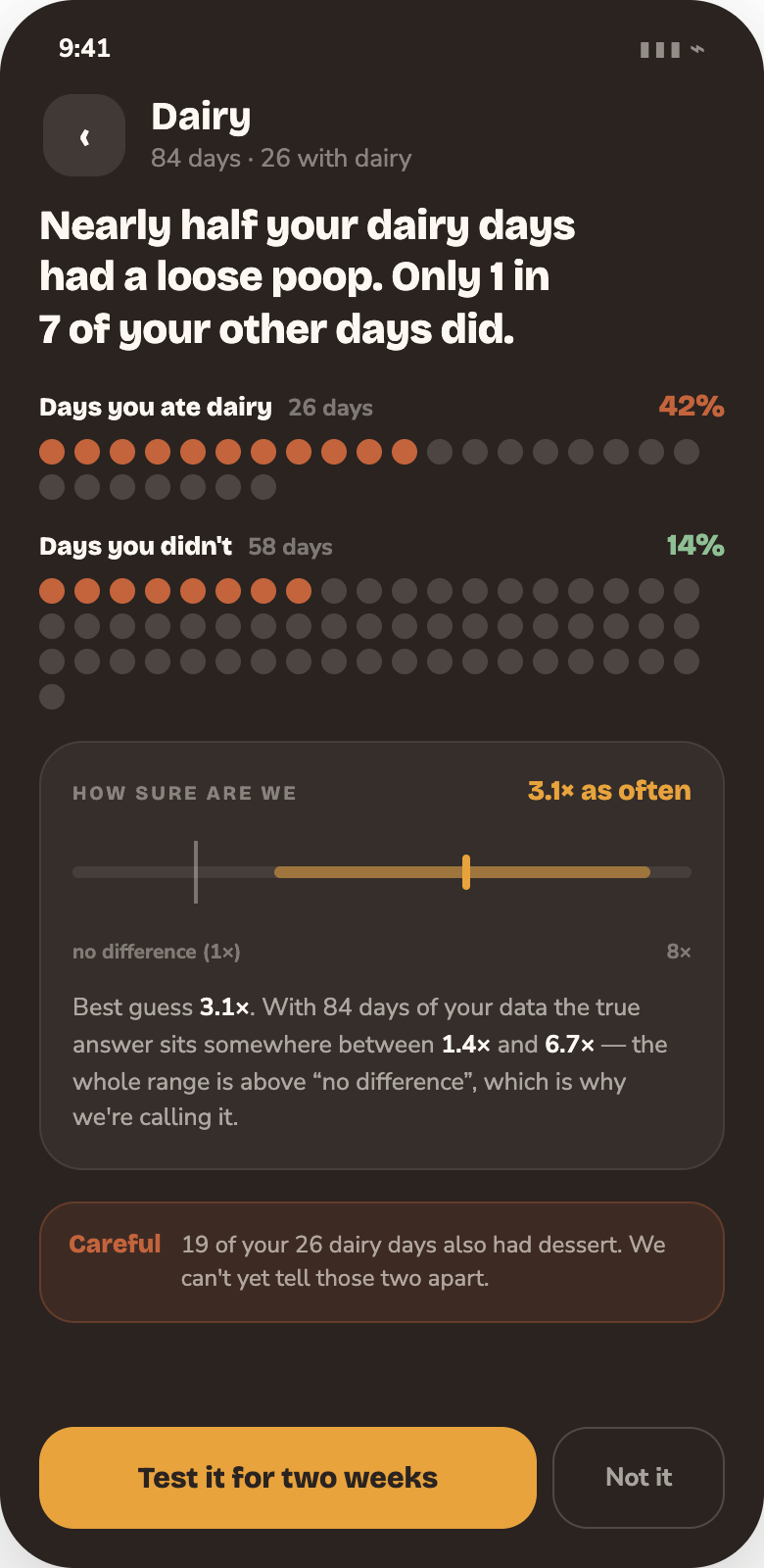
Every food and every poop gets compared, with math, against your own normal. Dairy days followed by twice as many poops. Big meals that leave you uncomfortable. A place that has never once agreed with you.
Logging it
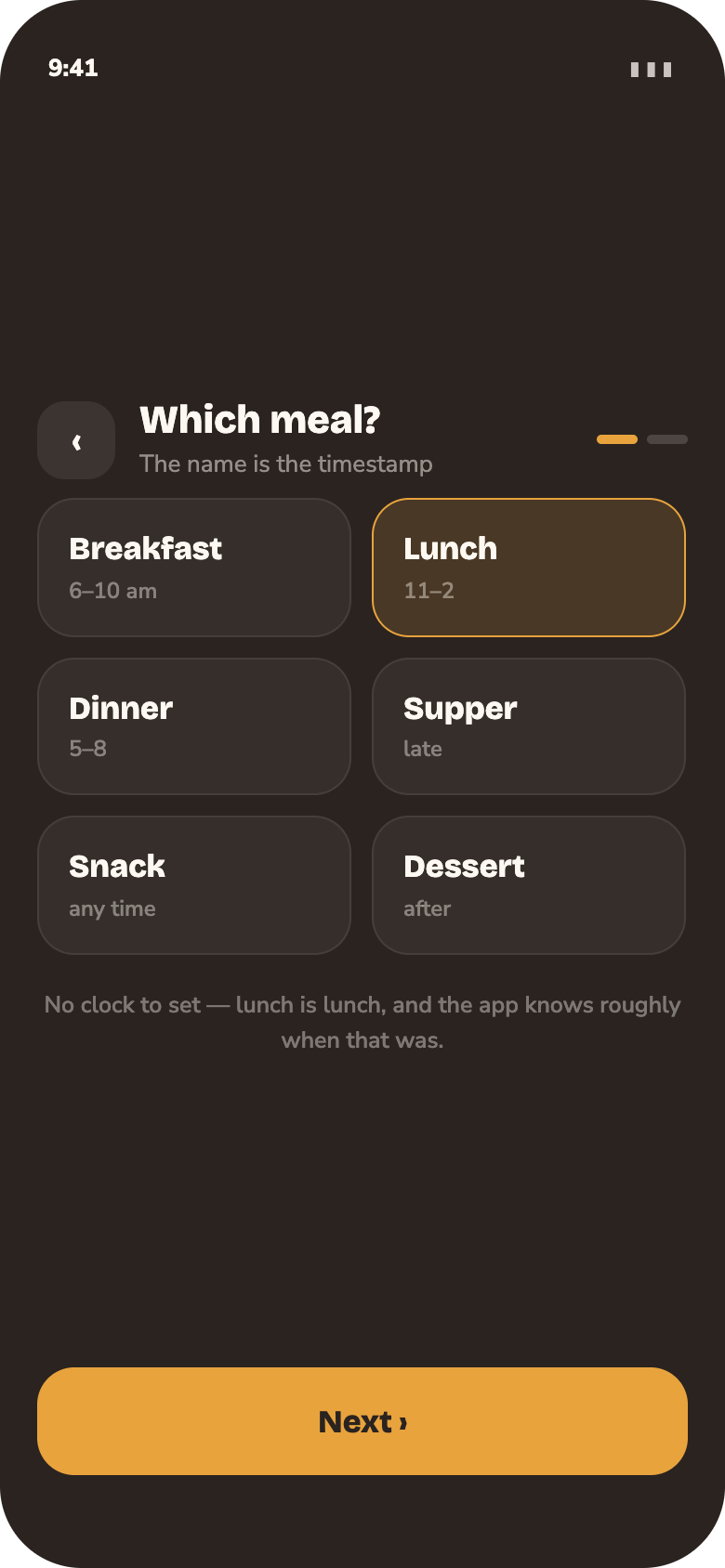
Four screens, and only the first is required.
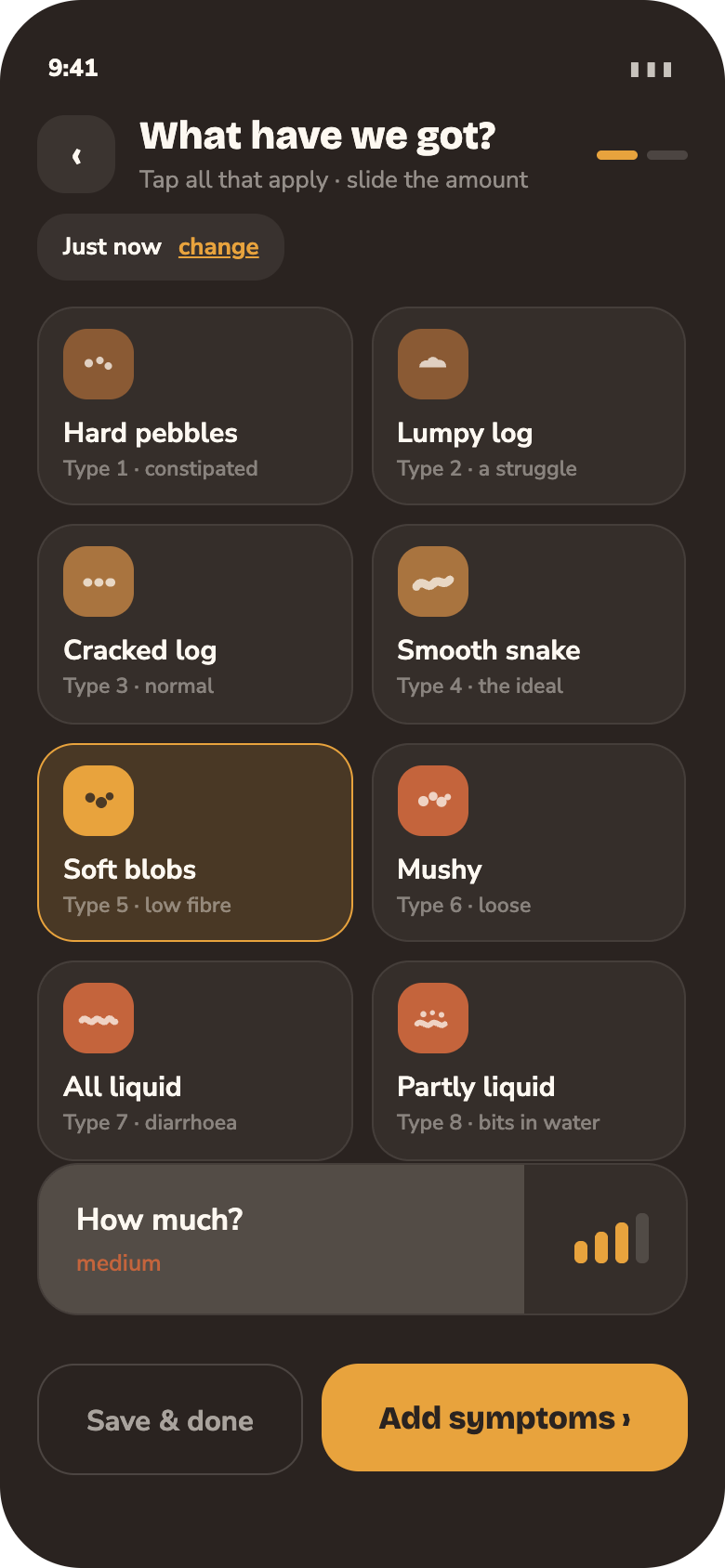
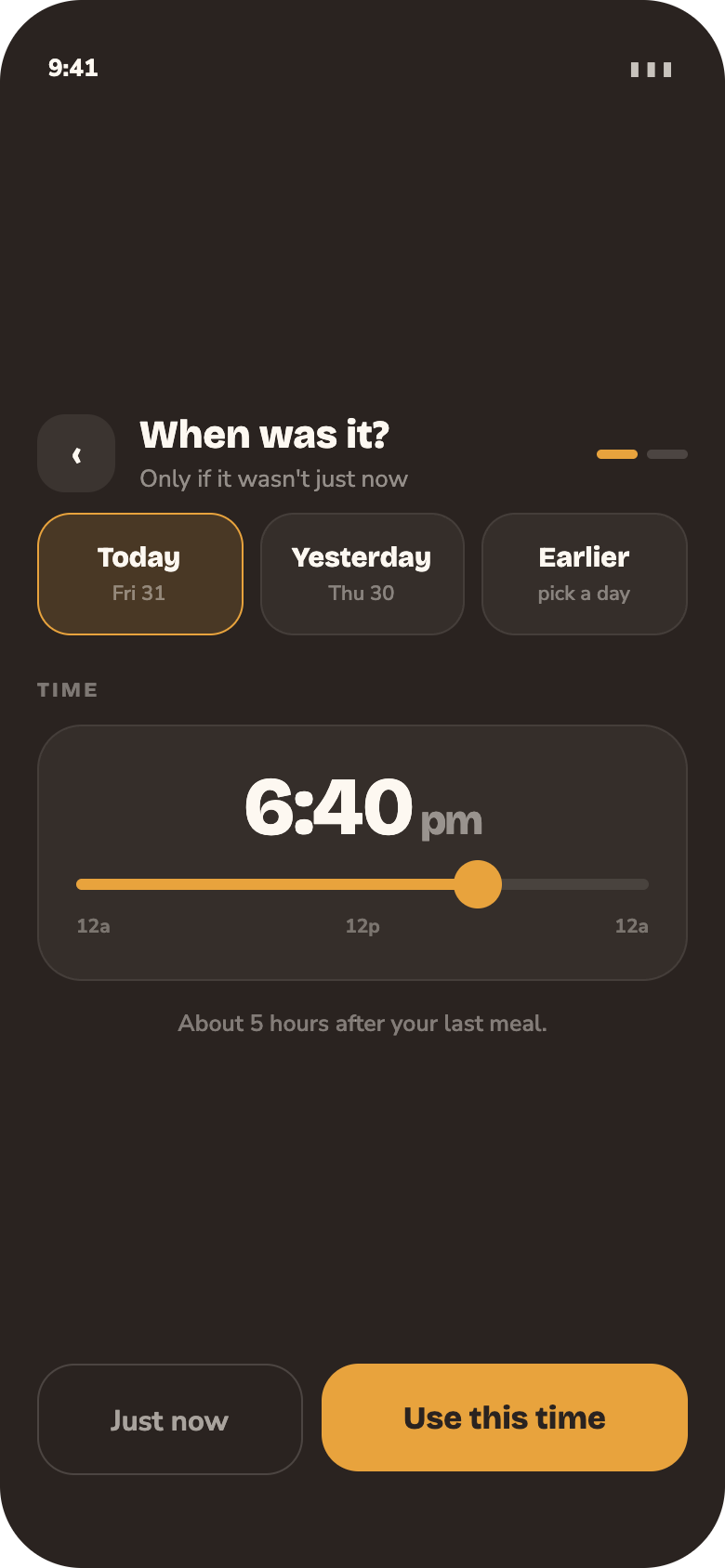
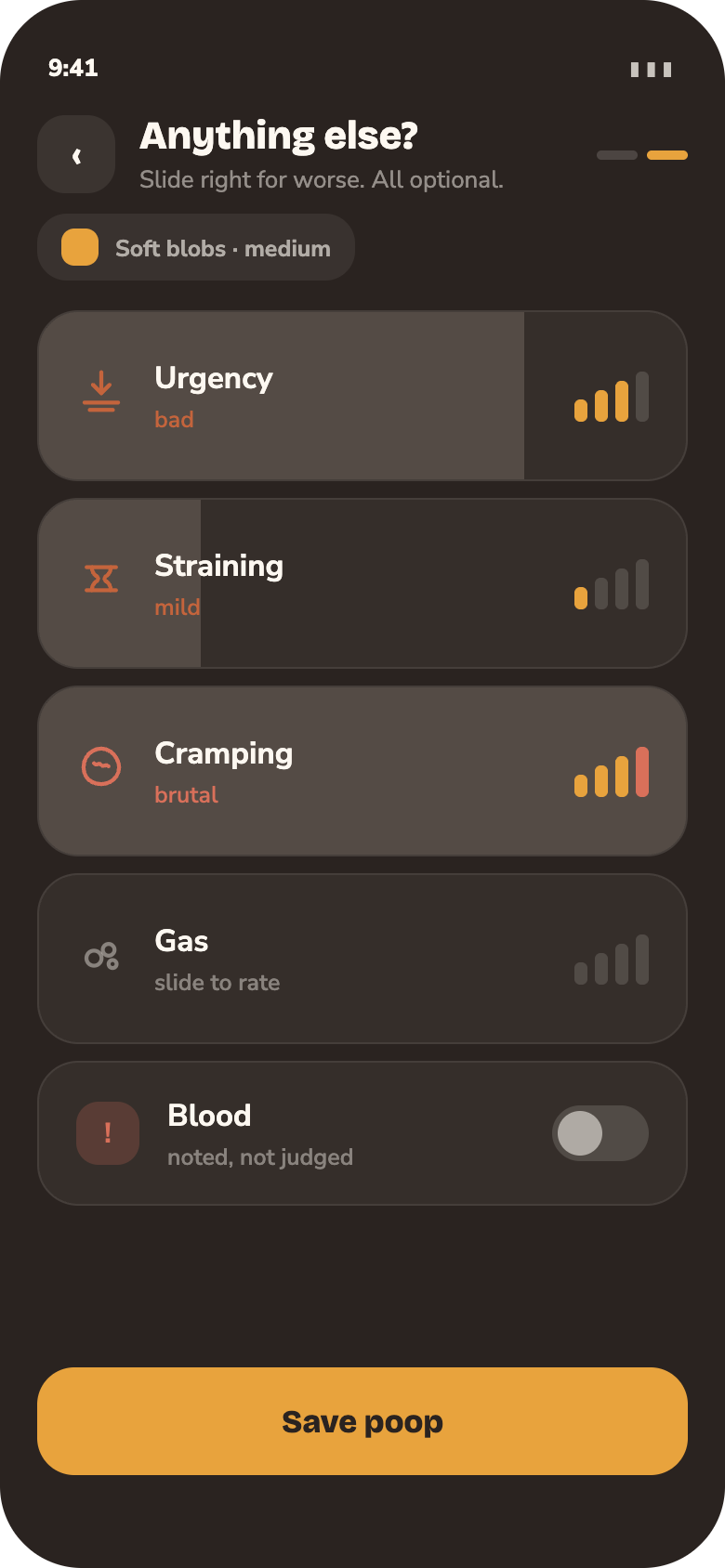
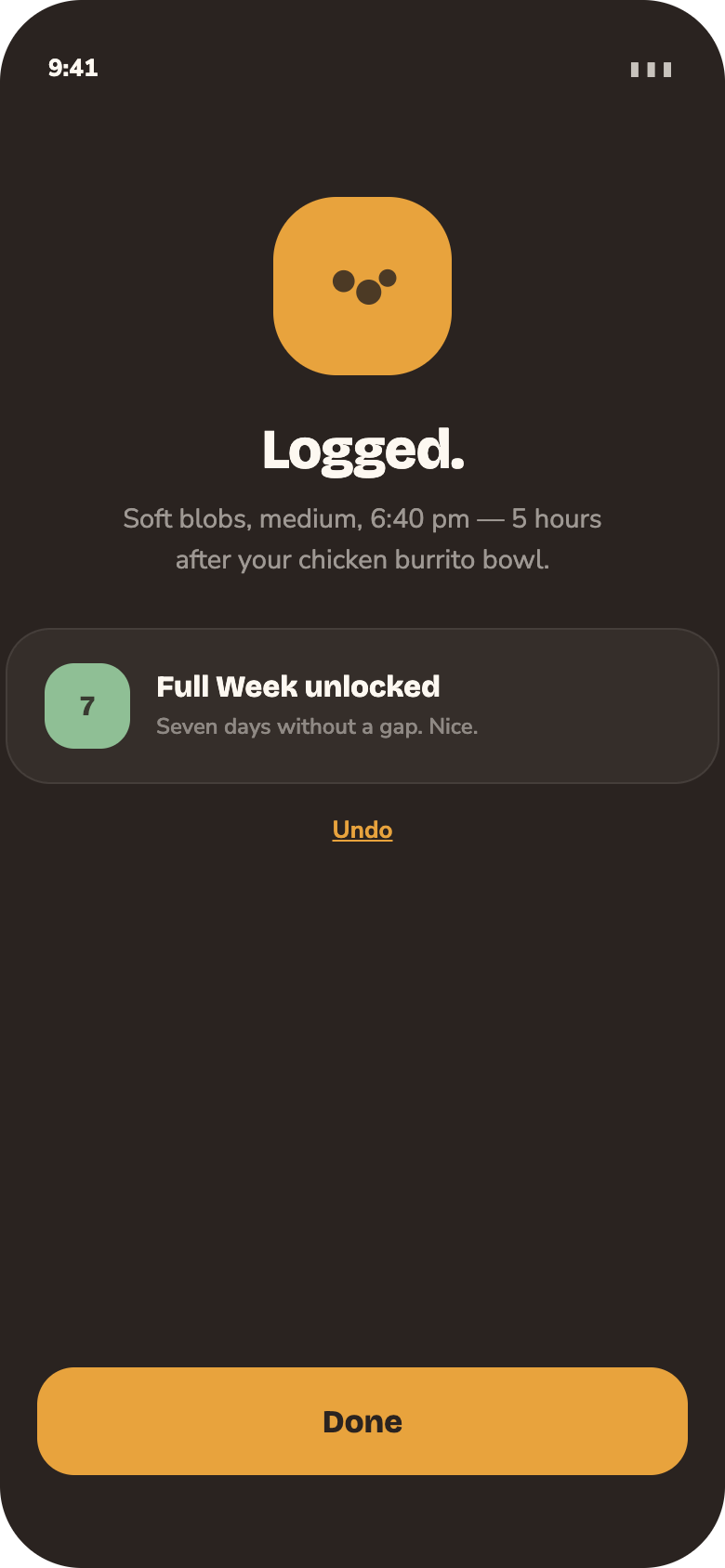
Two screens. The meal name does the work of a timestamp.
Counting it
This part of the app shows you some raw numbers, just to help you keep track of what’s going on.
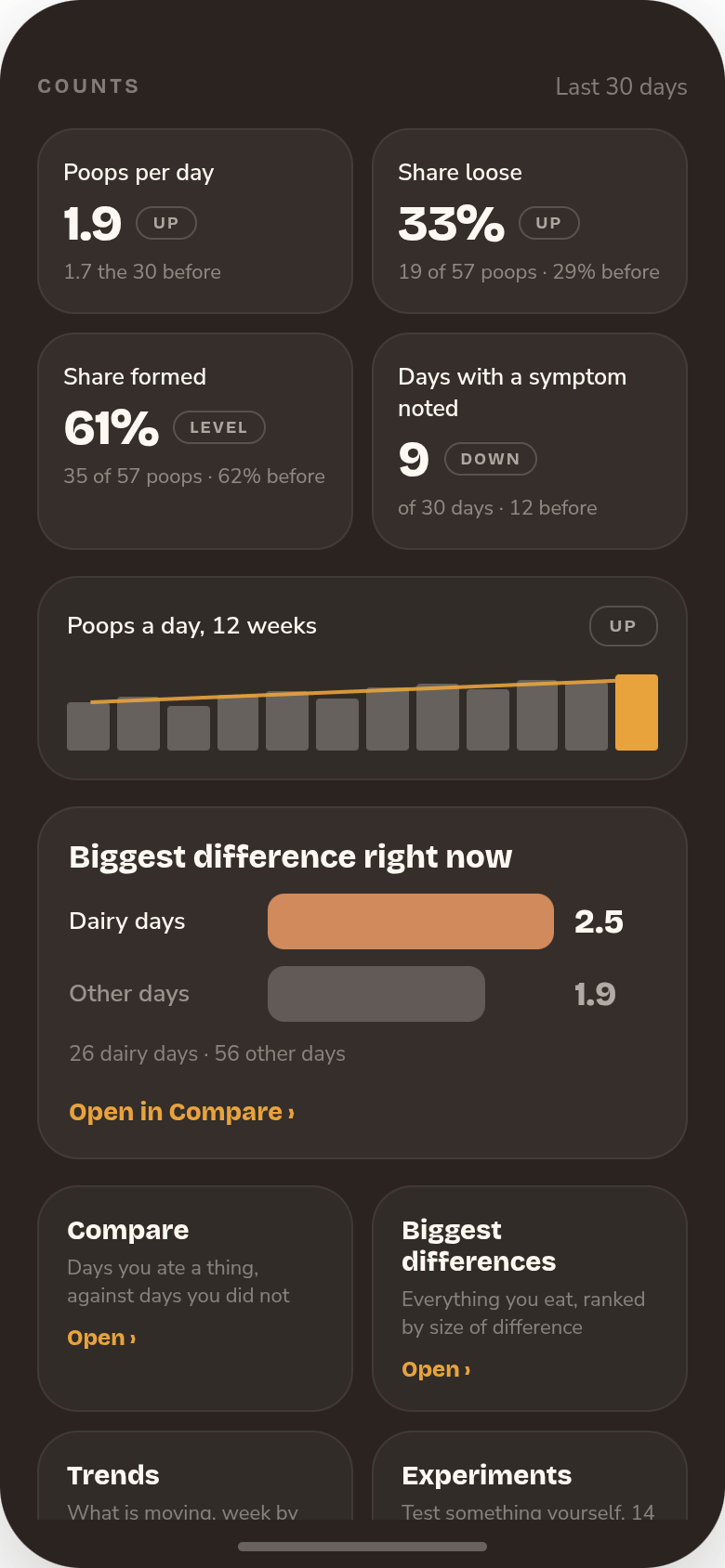
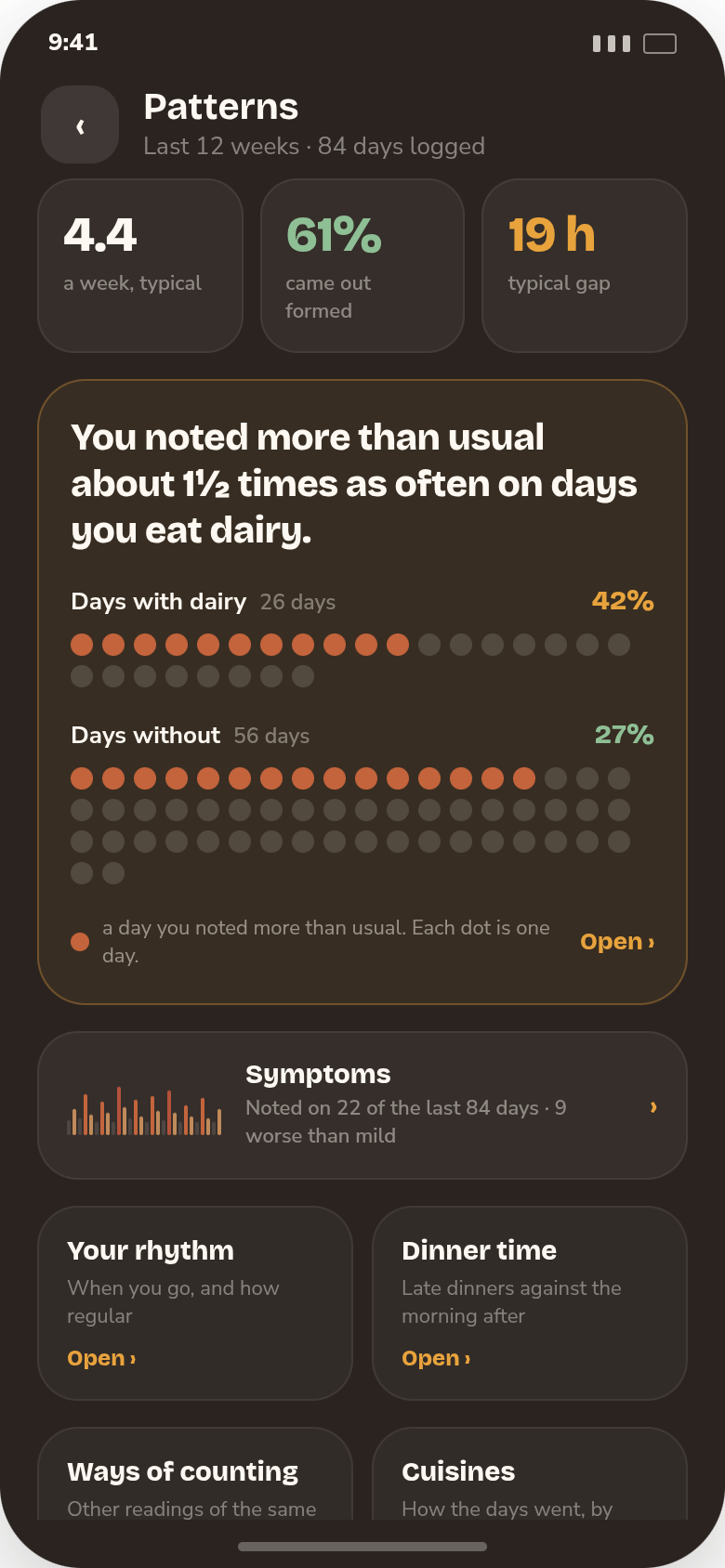
At the bottom of the Patterns screen you get a quick read on your last thirty days: how many poops a day, how many were loose, how many were formed, and how many days you noted a symptom. Each one is shown next to the same number for the thirty days before, so you can see whether things are moving. Under that, a chart of the last twelve weeks and the one food that is making the biggest difference right now.
Every number comes with the days it was counted from, like “26 dairy days against 56 other days”, so you can always see how much is behind it. Nothing here calls a day good or bad. It just counts.
Compare
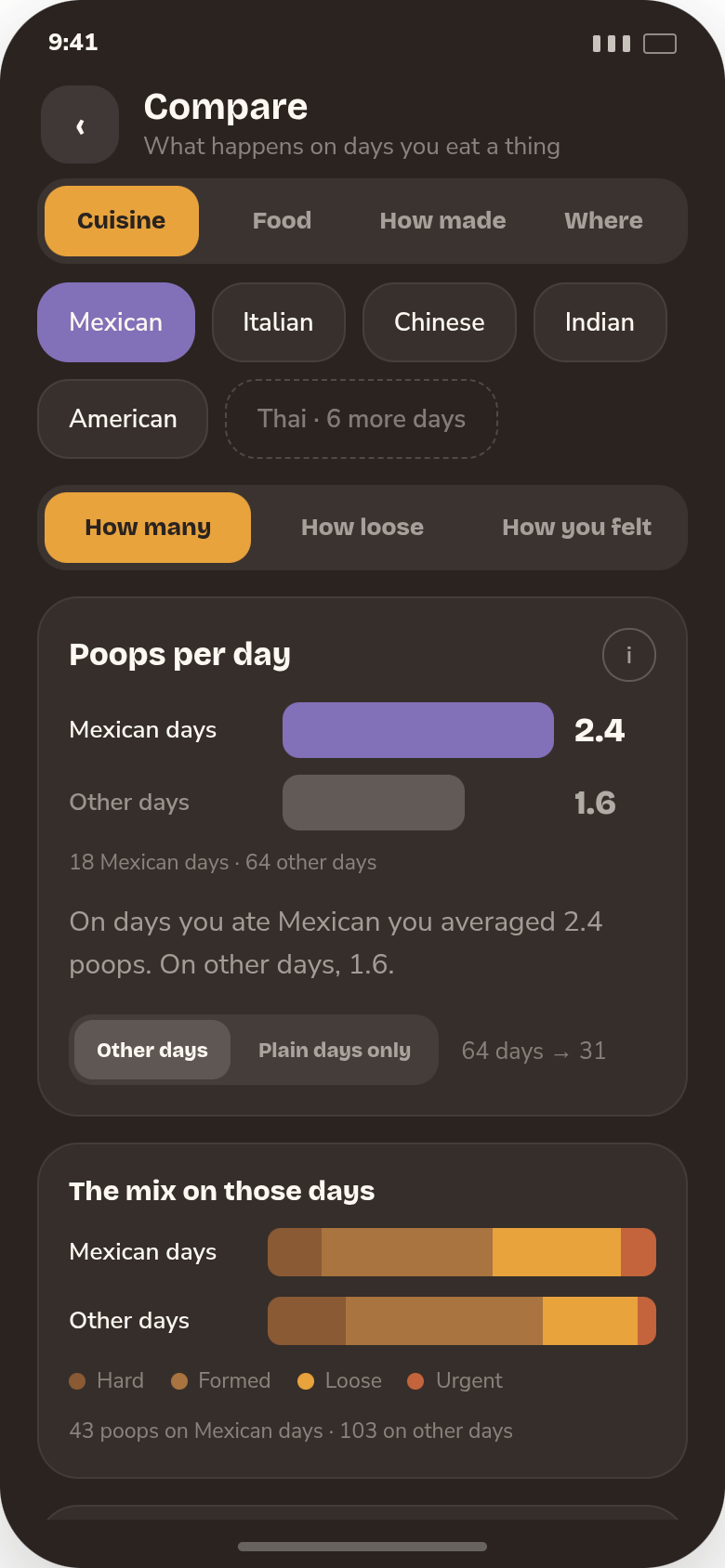
Pick a cuisine, a food, a way of cooking or a place you ate. Two bars: the days you ate it, and the days you did not, plus the sorts of poops those days brought and the hours they landed in.
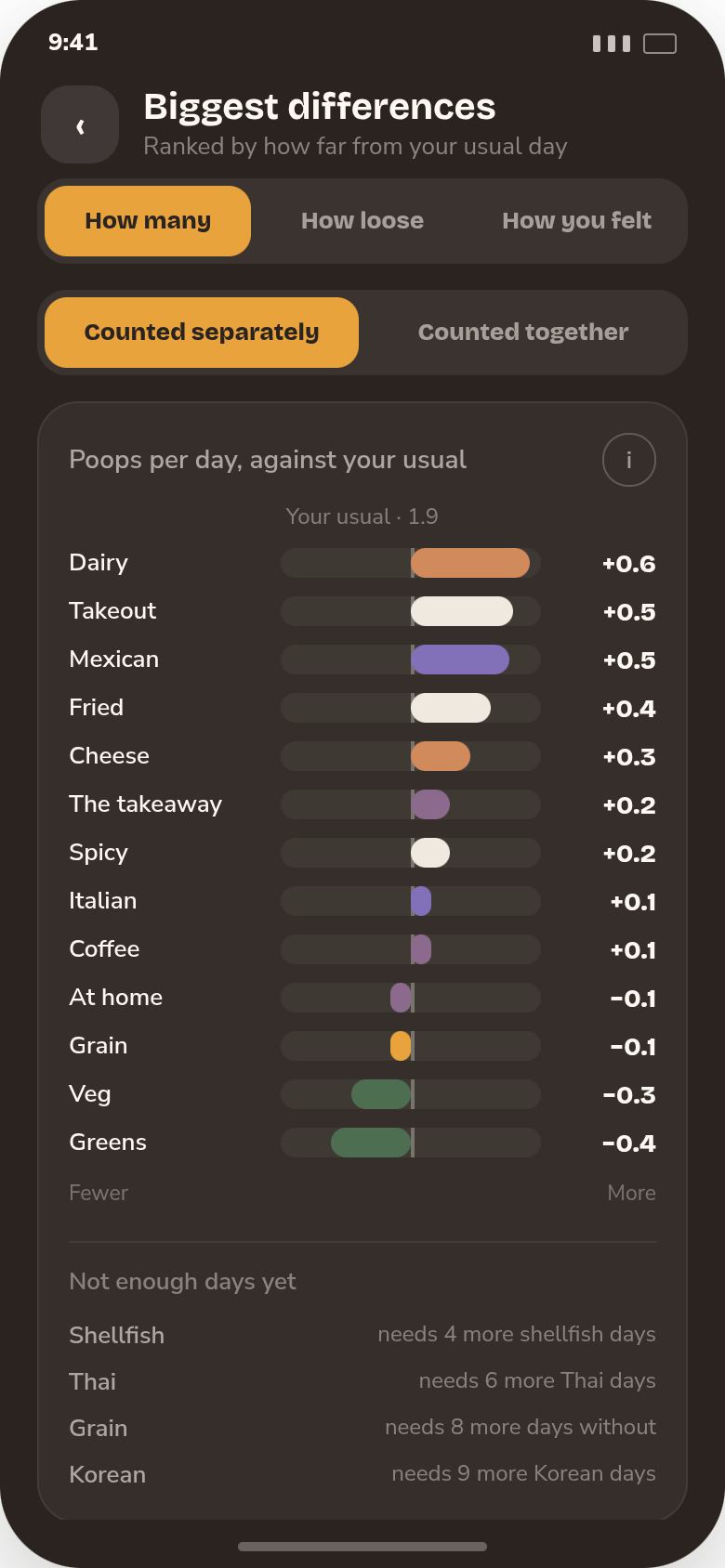
Biggest differences
Everything you eat, ranked by how far it moves you from a normal day for you. Anything you have not eaten enough of yet waits underneath, with how many more days it needs.
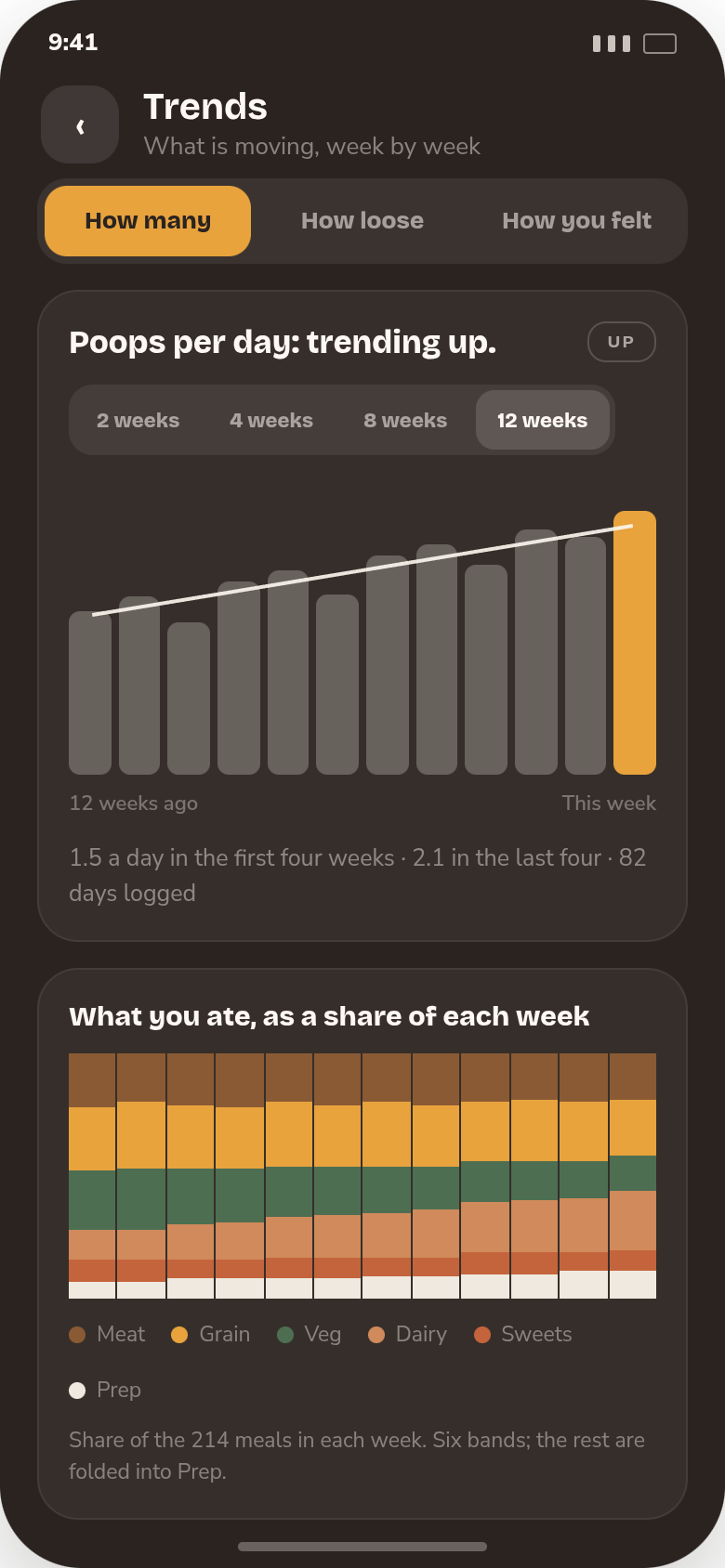
Trends
Two weeks to twelve, with a line through the bars and one word for which way it is going: up, down, or level. Below that, which sorts of foods and meals filled each week.
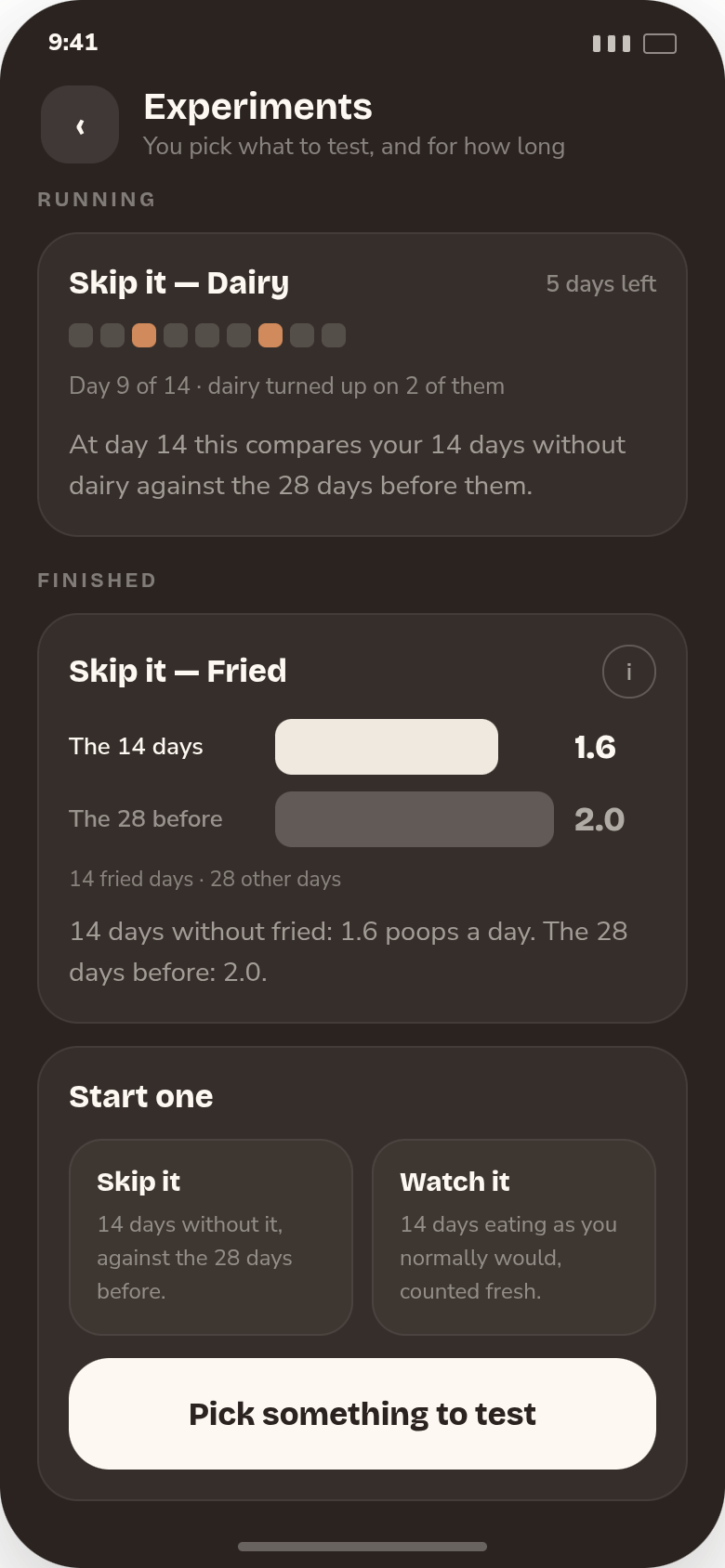
Experiments
Suspect red meat is the problem? Cut it for fourteen days and see what the numbers say after. Or change nothing and just watch the next fourteen days as they come.
Looking back
History is the record: every meal and poop, at three zoom levels. Here is where you can really take a deep dive into the analysis of your diet and poops. The app uses math to identify patterns, and then shows you what it found.
Three zoom levels.
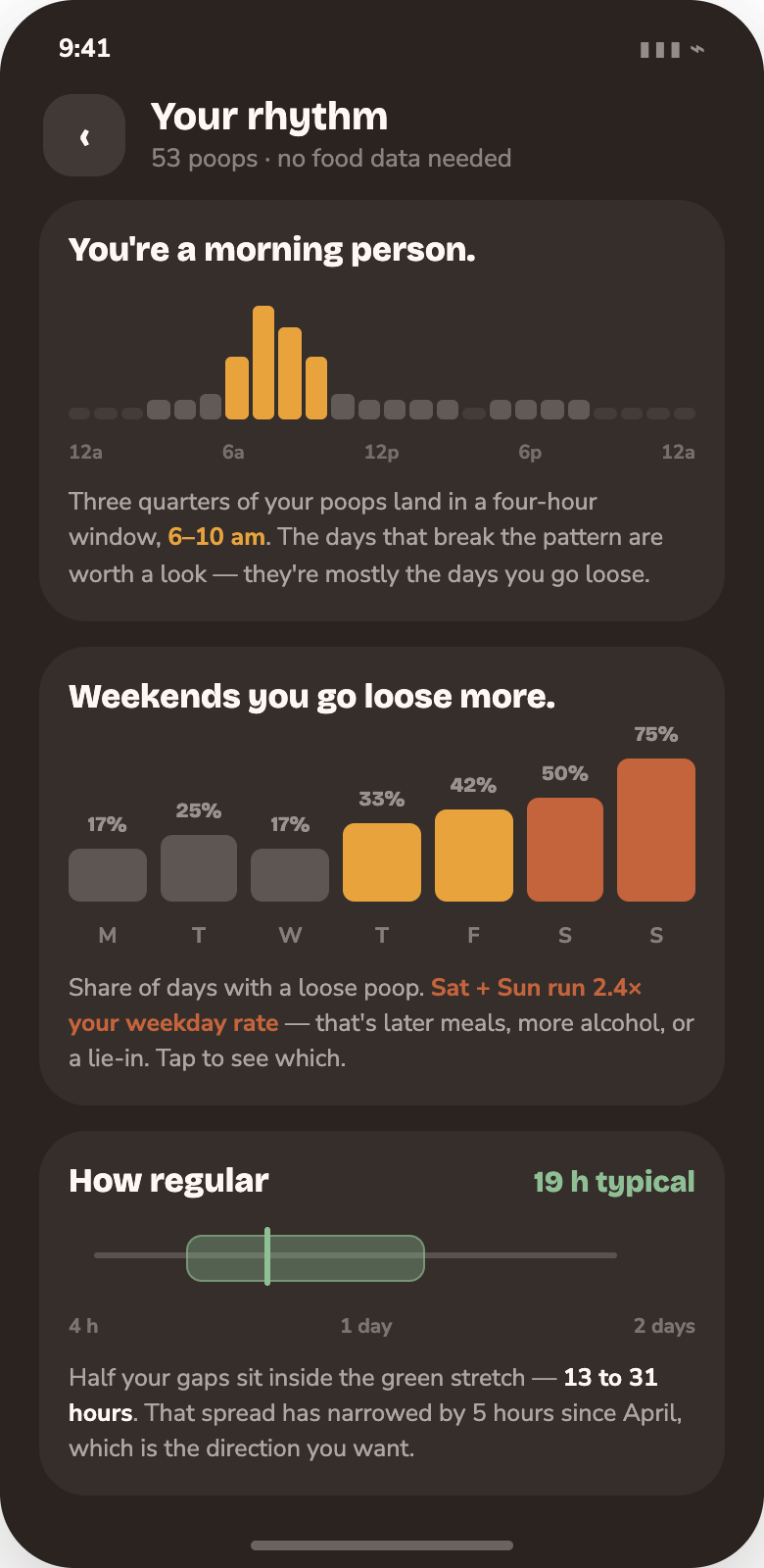
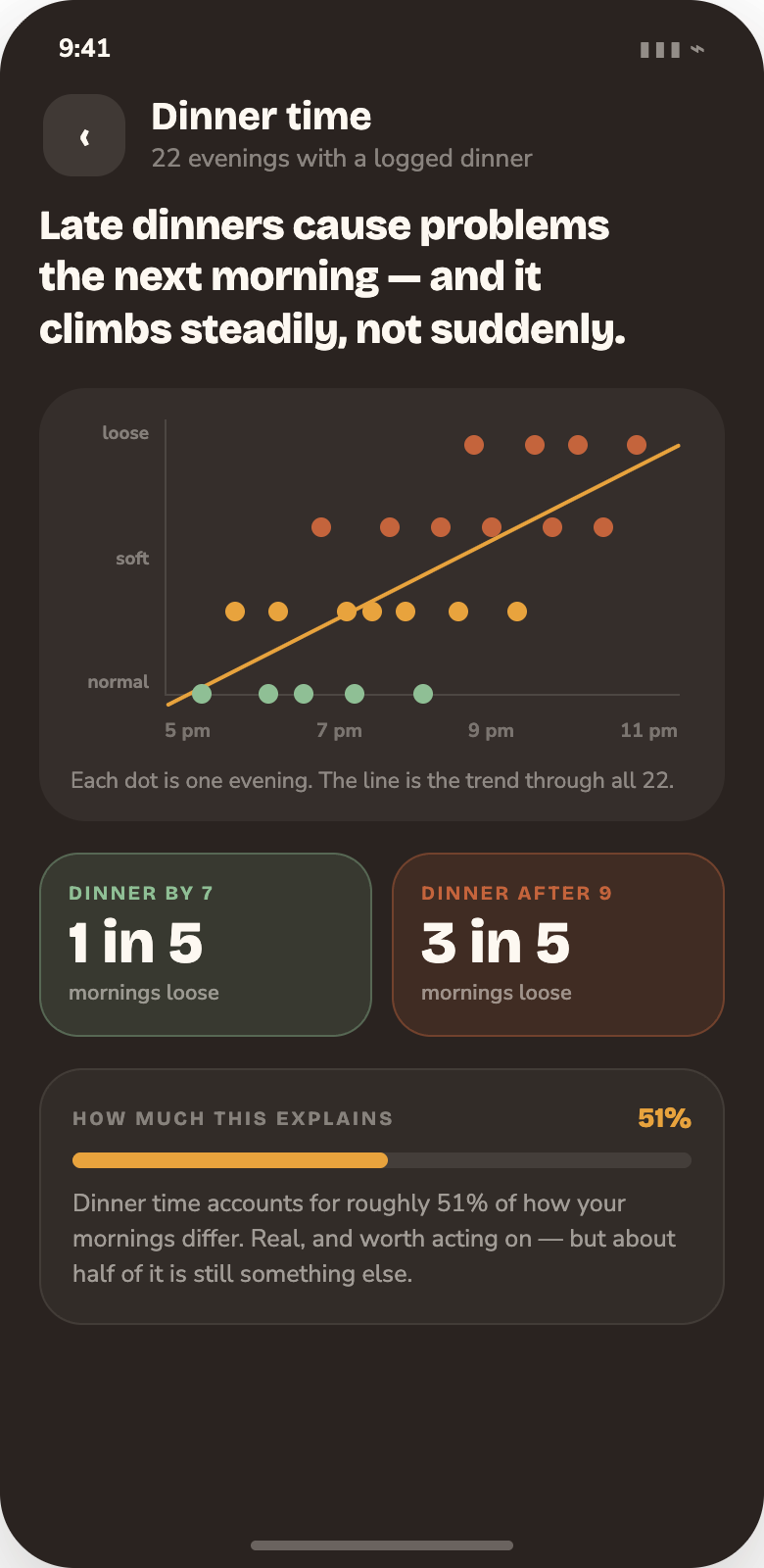
Ten kinds of finding.
Neeeeew achievement!
A tracker only works if you keep using it. Achievements mark the milestones that make the data worth something: the first full week, the hundredth entry, the first real pattern. They are yours to collect, compare and share. More than a hundred to unlock at launch; these are eight of them.
Android first, free to start, and quick enough to log that you'll actually keep it up.